Daria portrait
Daria Anokhina currently available

Courtflow

Enterprise SaaS for Tennis Club Management

My role Product Designer (End-to-End Ownership)
Duration 1 month
Platform Web (Desktop B2B SaaS)
Tools Figma
Project Impact Transformed fragmented paper-and-excel workflows into a real-time B2B platform. By designing context-aware side panels and a centralized multi-location dashboard, the system completely eliminates double-bookings and prevents front-desk data loss during live customer interruptions.
Courtflow dashboard screen

Courtflow dashboard screen

The Challenge

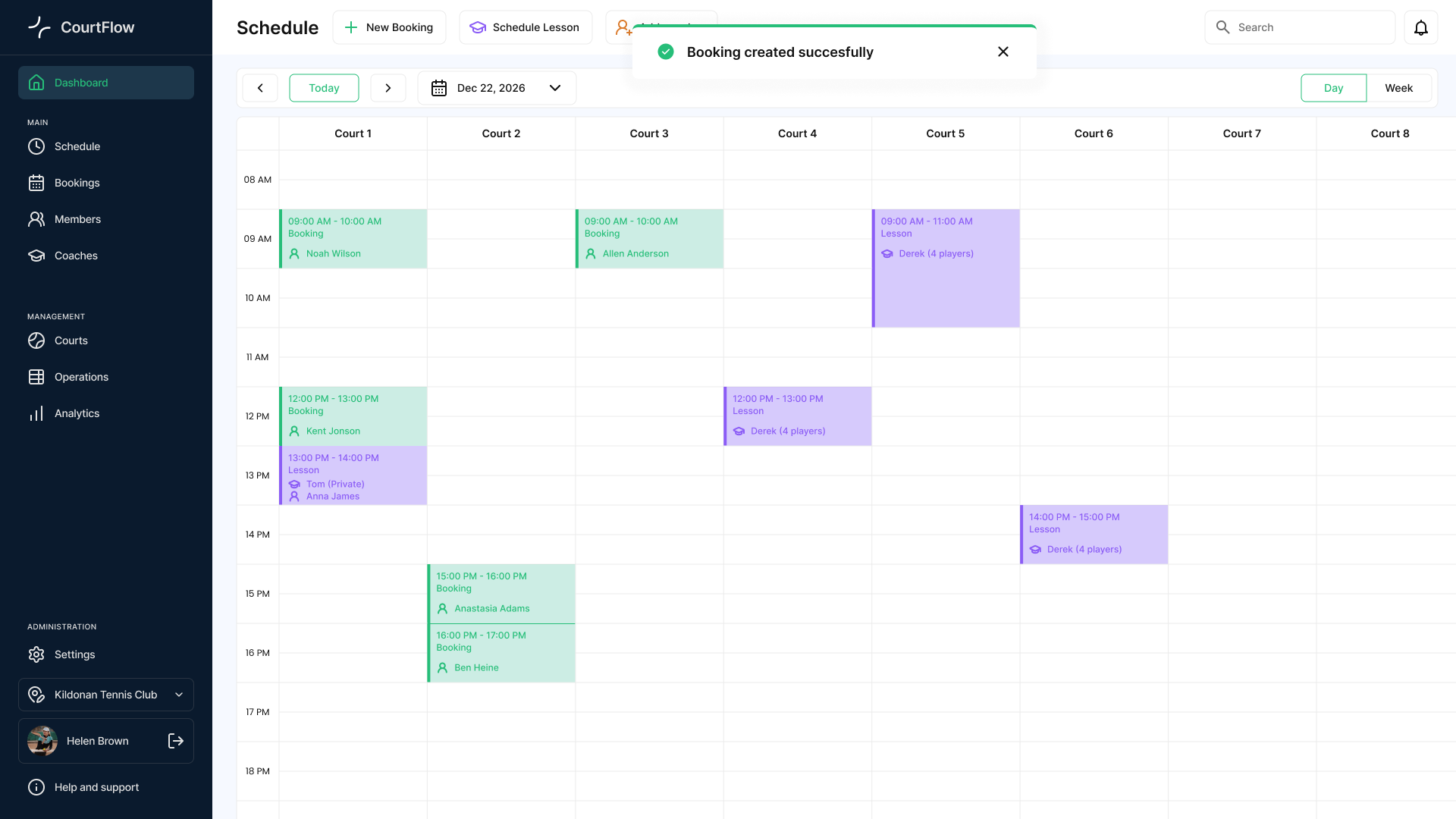
Courts became the foundation of the scheduling experience. Each column represents a court, allowing managers to understand availability, bookings, and lessons at a glance.

Accidental Double-Bookings

When two receptionists work at the front desk simultaneously, they often book the same court for different clients at the same time.

No Multi-Location Support

Operators who manage several branches lack a single, shared view of all their clubs.

Losing Context

Staff waste time cross-checking paperwork while keeping a client waiting on the phone.

User Research & Insights

As a tennis player, I’ve always noticed how club receptionists handle bookings. To look closer at their routine, I simply asked front-desk staff and managers a few quick questions during my visits, mapping out their workflows over the course of a month.

Key Findings:

  • Speed Over Decoration: The staff don't need complex data visualizations. When they are on the phone with a client, they need speed and protection from errors.
  • The Live Sync Problem: If another manager changes something on the schedule, it needs to pop up instantly. Otherwise, the team ends up with an overbooked court and a ruined client experience.
  • Interruption Management: Staff are constantly interrupted (e.g., a walk-in player arrives while the manager is creating a booking on the phone). The system must allow them to multitask without losing data.

Core Design Principles

To solve these real-world issues, I established three foundational principles for the MVP:

Key Principles:

  • Multi-Branch Toggling: Allowing managers to switch between different club locations in one click.
  • Instant Visual Sync: If Manager A changes something, Manager B sees the update on their screen immediately to prevent double-bookings.
  • Single-Screen Actions: Keeping tasks inside side-panels so staff can register new members or make changes instantly, without ever leaving the main schedule grid.

The Dashboard Overview

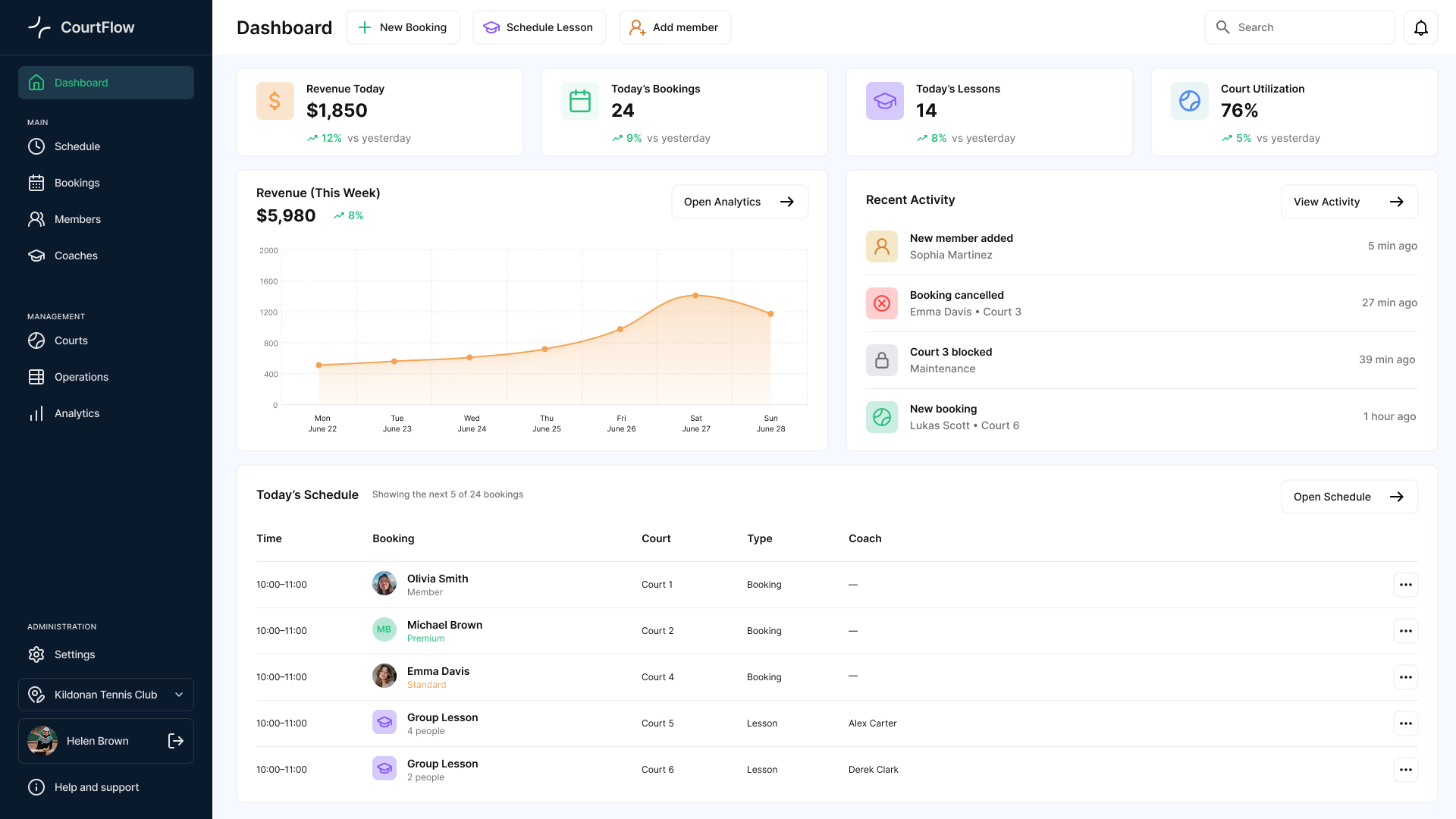
The main dashboard serves as the club’s command center, providing receptionists and managers with an instant operational snapshot as soon as they log in.

Courtflow dashboard screen

Courtflow dashboard screen

  • At-a-Glance Metrics: High-level cards track revenue, today’s bookings, and court utilization in real time, clicking directly through to deeper analytics.
  • Persistent Global Actions: High-frequency buttons (+ New Booking, Schedule Lesson, Add Member) are pinned to the header for instant access from any screen during live phone calls.
  • Real-Time Activity Feed: A live operational stream logs shifts, cancellations, and status changes instantly to keep multiple managers perfectly aligned.
  • Upcoming Schedule Preview: A high-density table previews immediate next arrivals so staff know exactly who is walking through the door without opening the full calendar.

Core Flow: Booking Experience

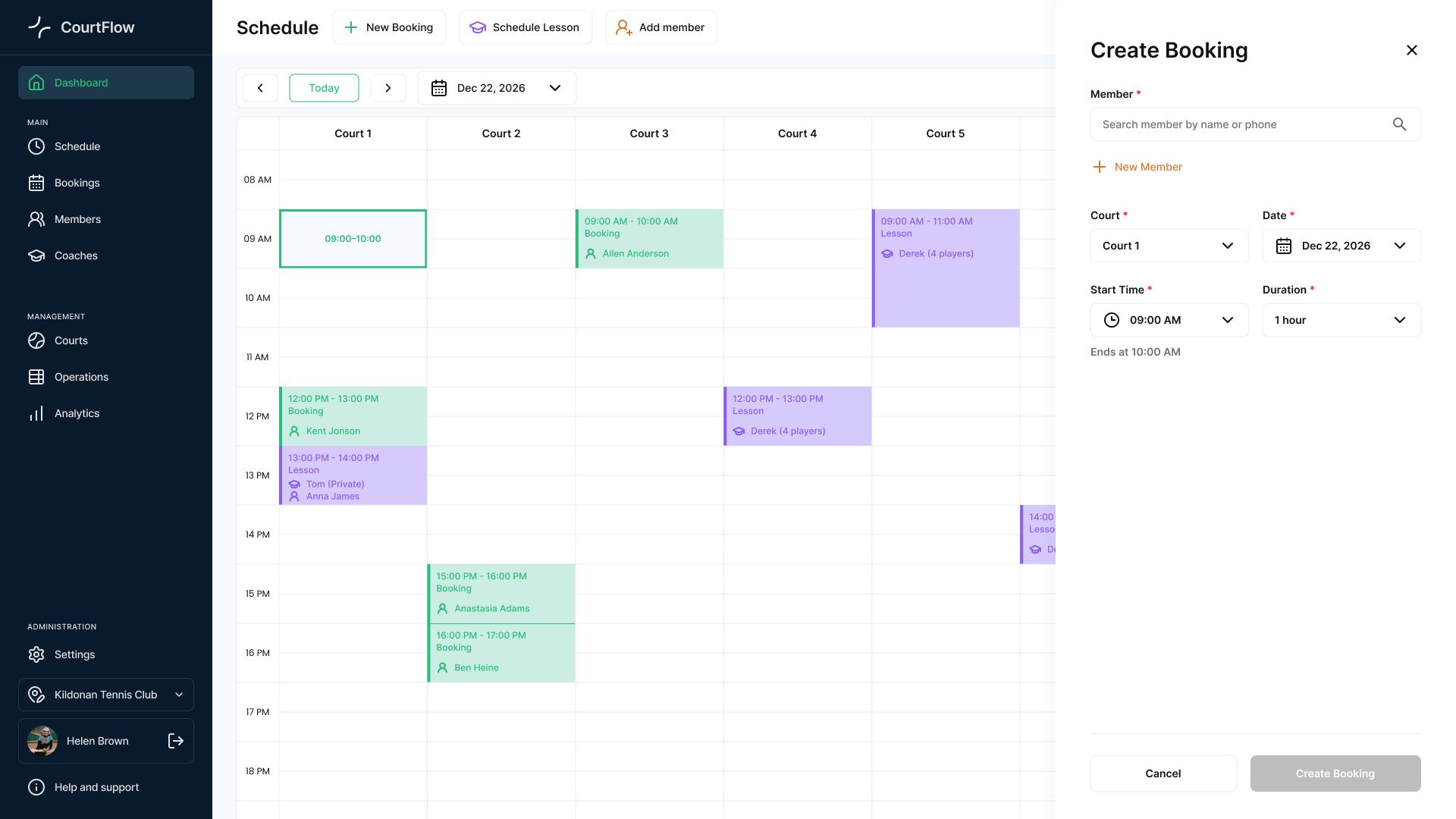
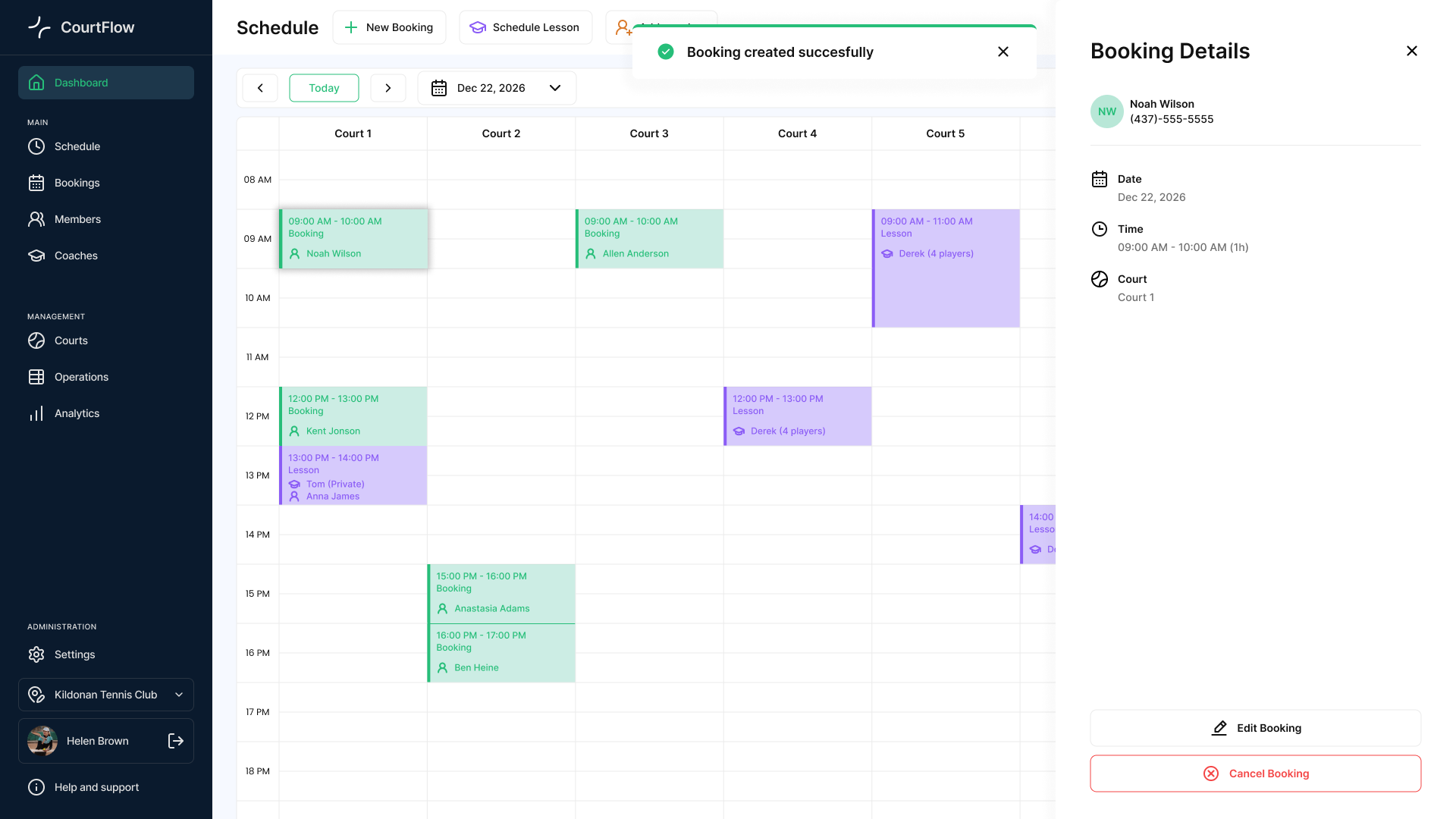
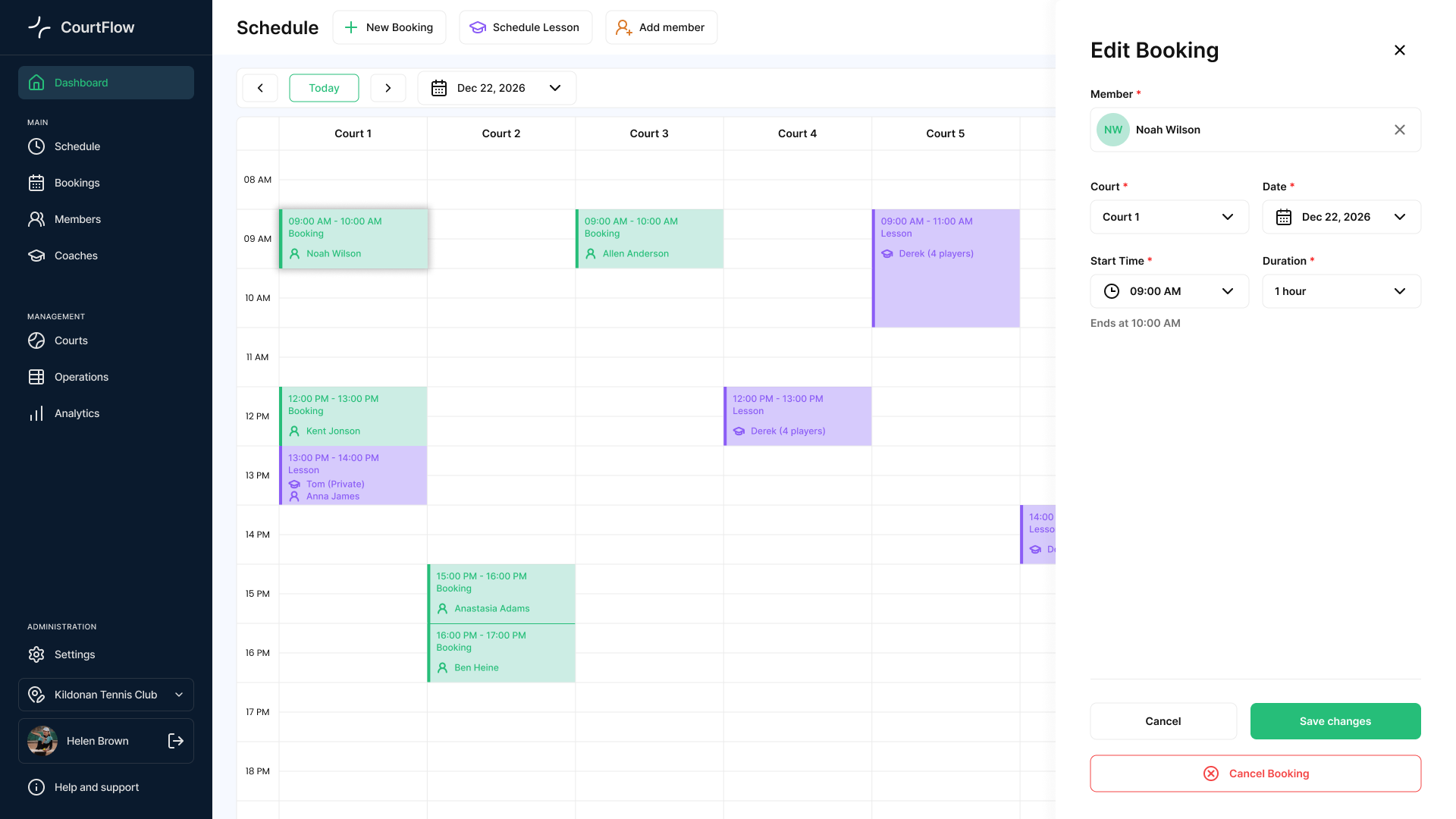
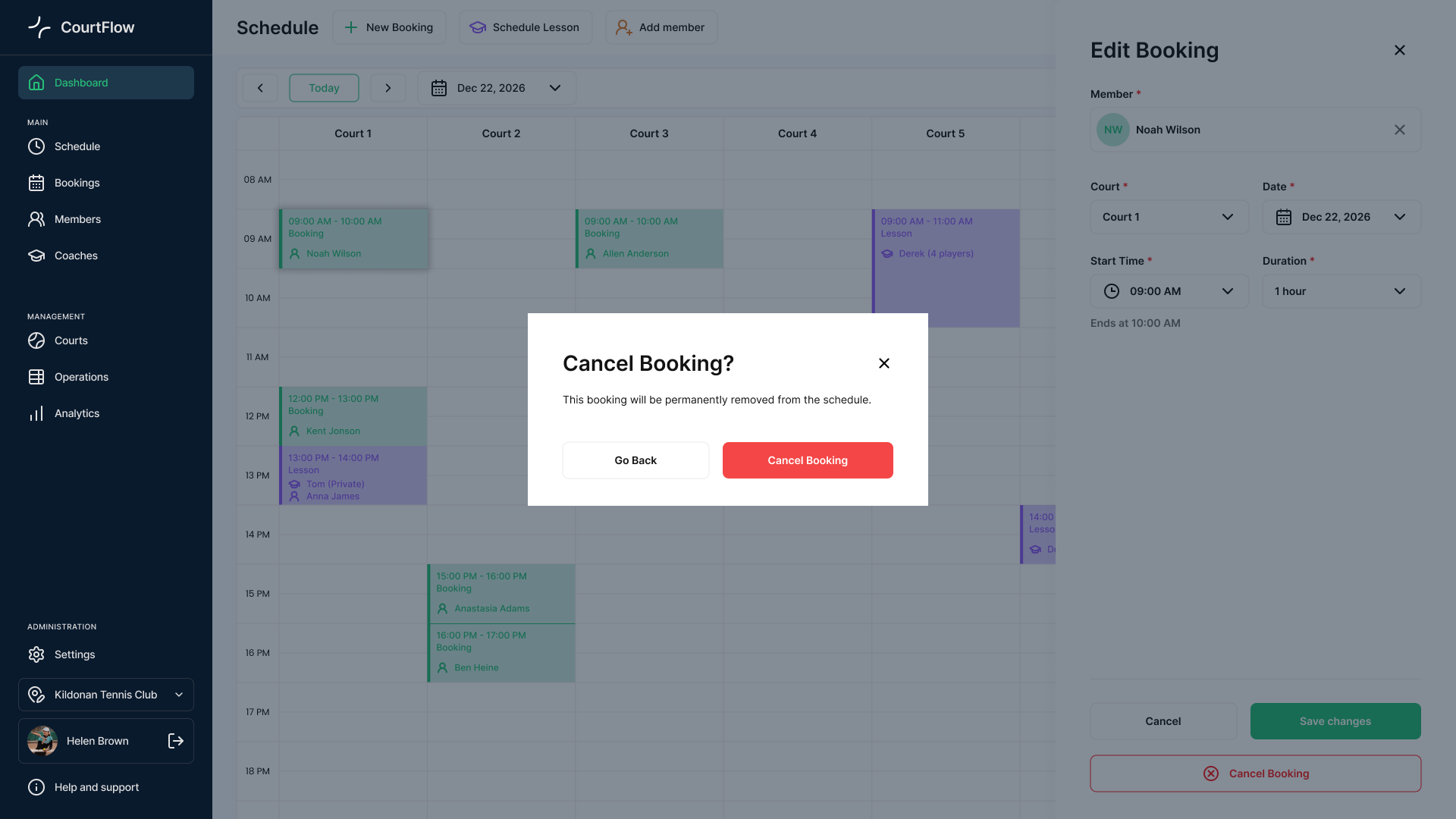
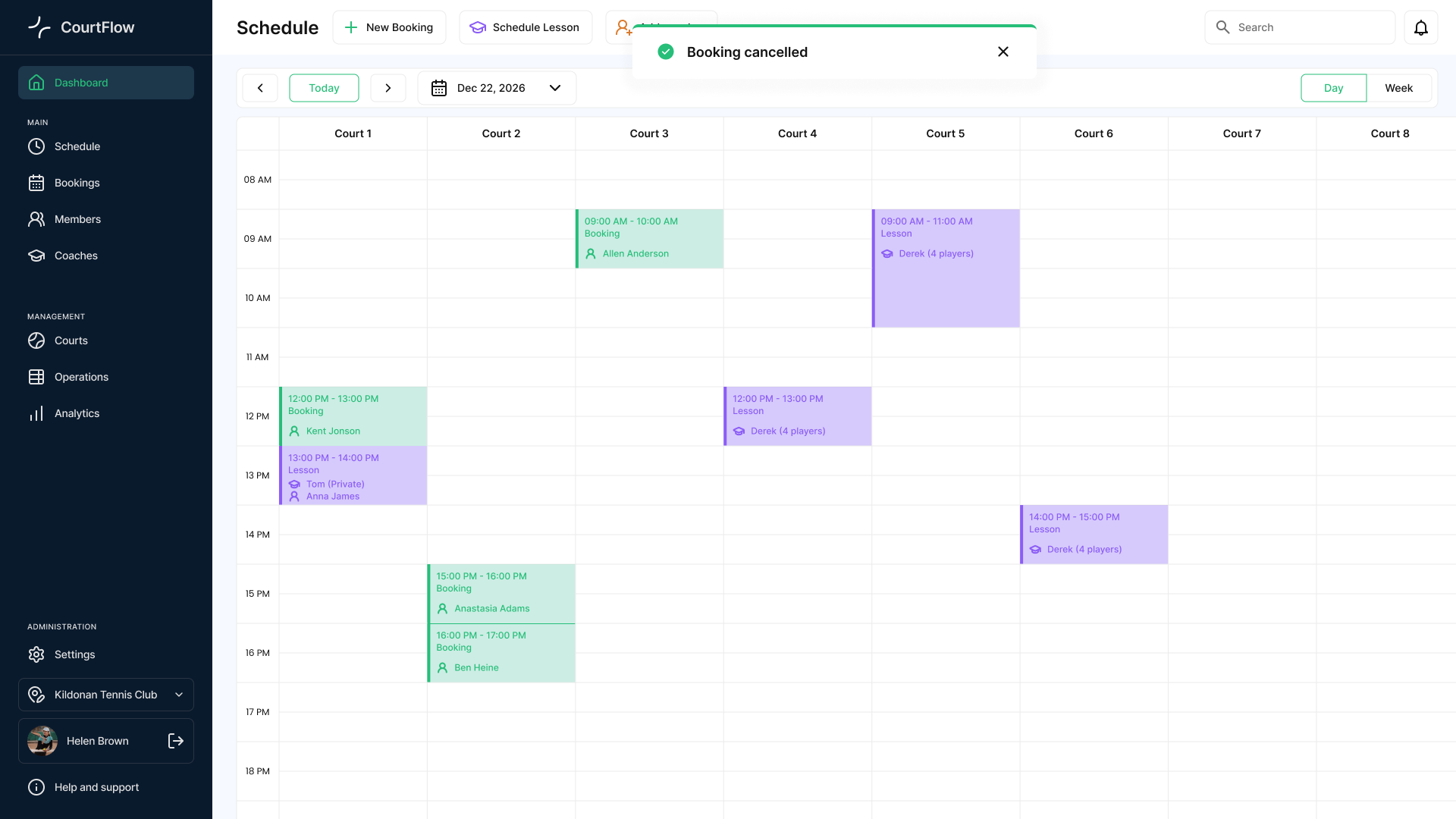
Creating and managing reservations is the most frequent front-desk task. The goal was to make both booking and canceling completely frictionless, no matter how the request comes in—via phone, email, or from a walk-in player.
Courtflow booking flow screen

Courtflow booking flow screen

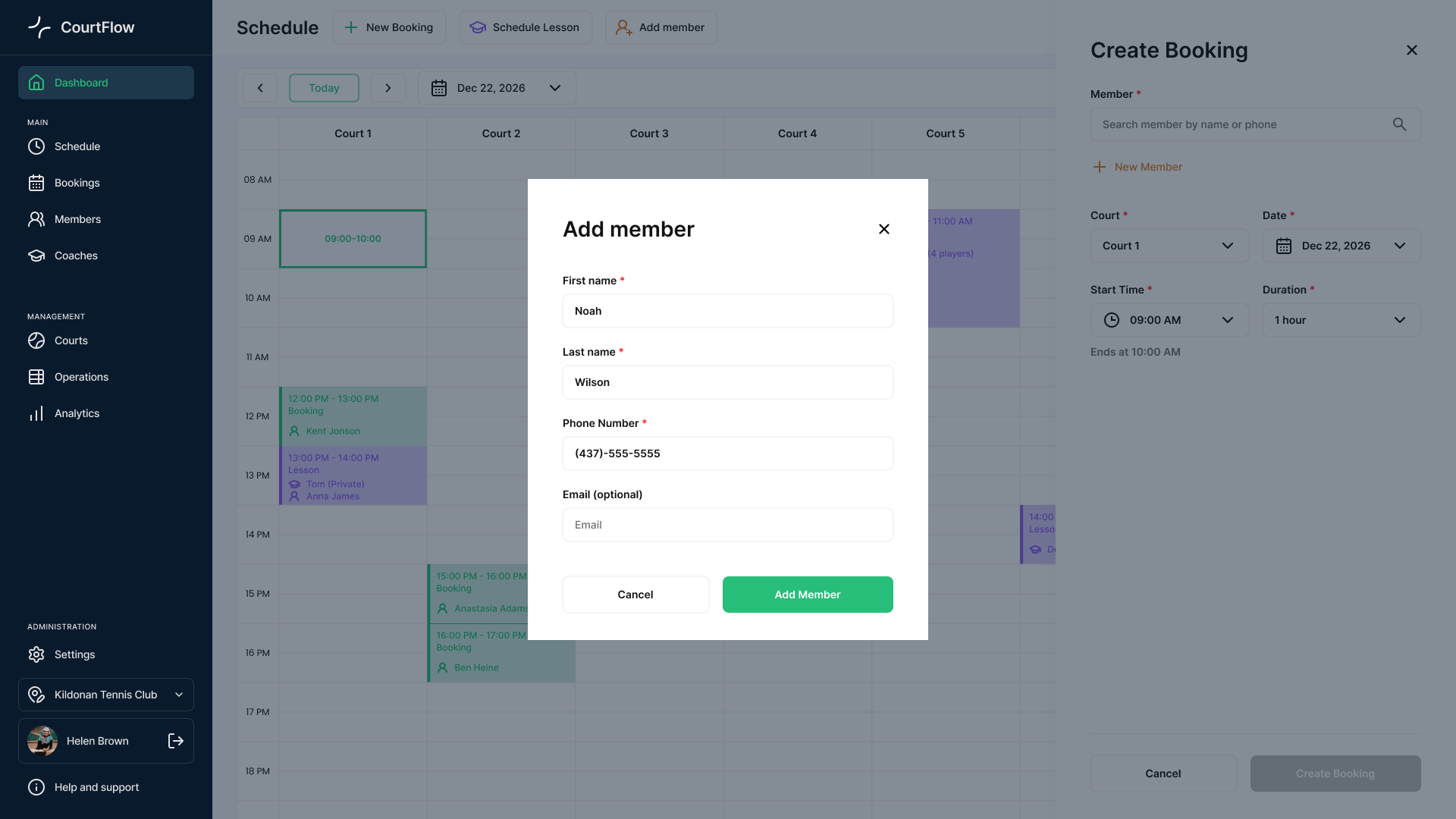
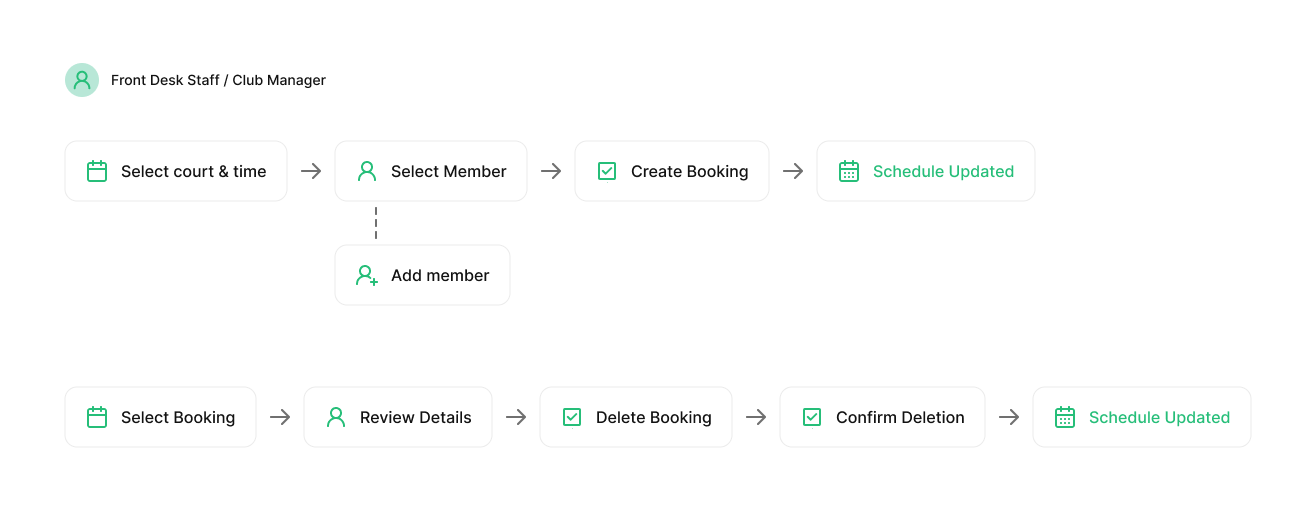
To ensure staff can act quickly during live, fast-paced conversations, the interface supports two primary workflows directly from the schedule:
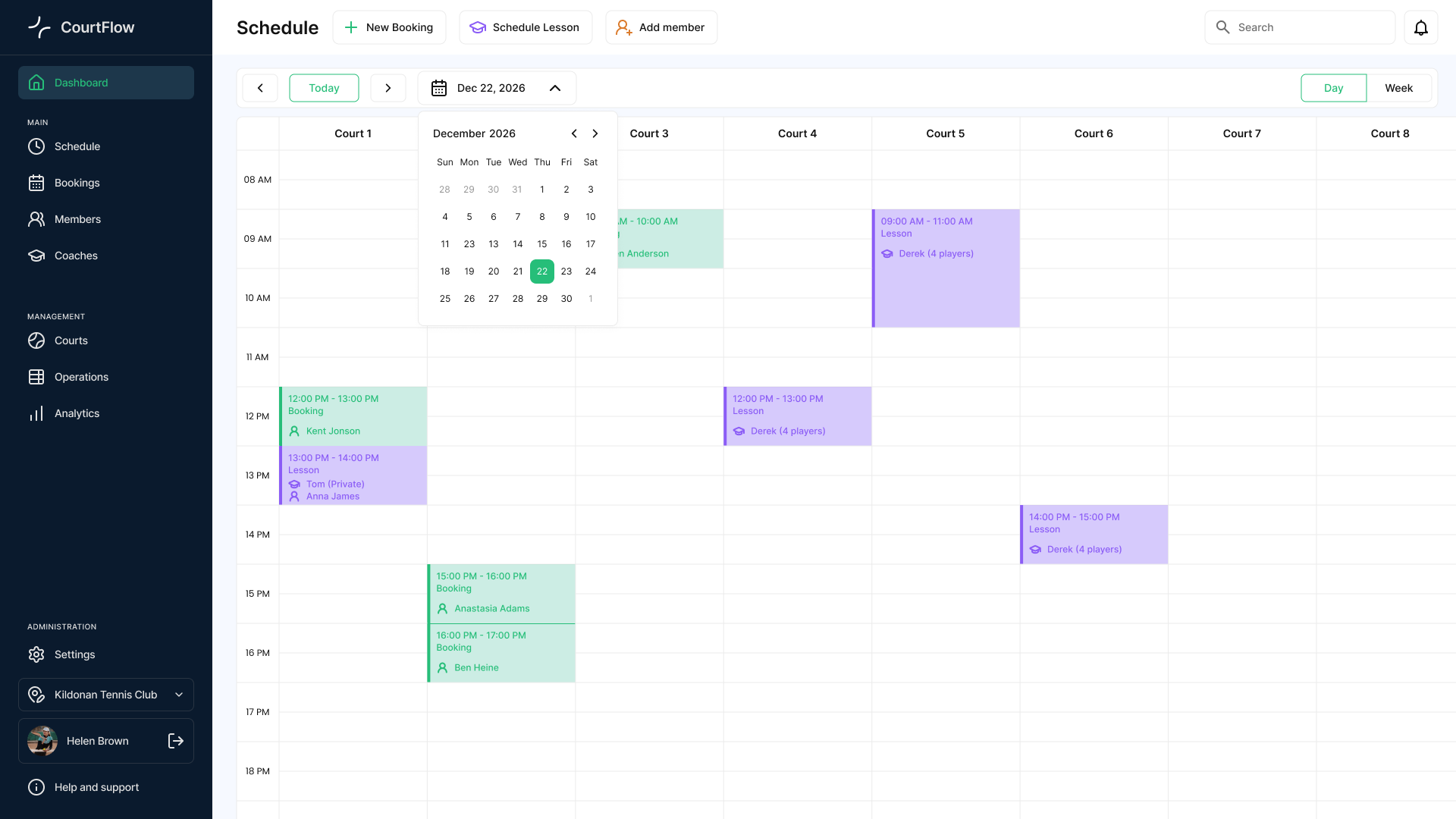
1. The Creation Flow

  • Smart Pre-filling: Clicking any empty slot automatically extracts the court number and time, minimizing typos and saving valuable seconds.
  • Inline Member Creation: If a caller is new, the receptionist can register them directly inside the active booking panel without abandoning the current task.

2. The Cancellation Flow

  • Instant Review: Clicking an existing booking immediately opens its details, allowing staff to confirm info with the client on the fly.
  • Safe Deletion: Staff can remove the reservation and confirm the deletion in just two clicks, instantly freeing up the court grid for other players.
Schedule

Сourt Management & Blocking Flow

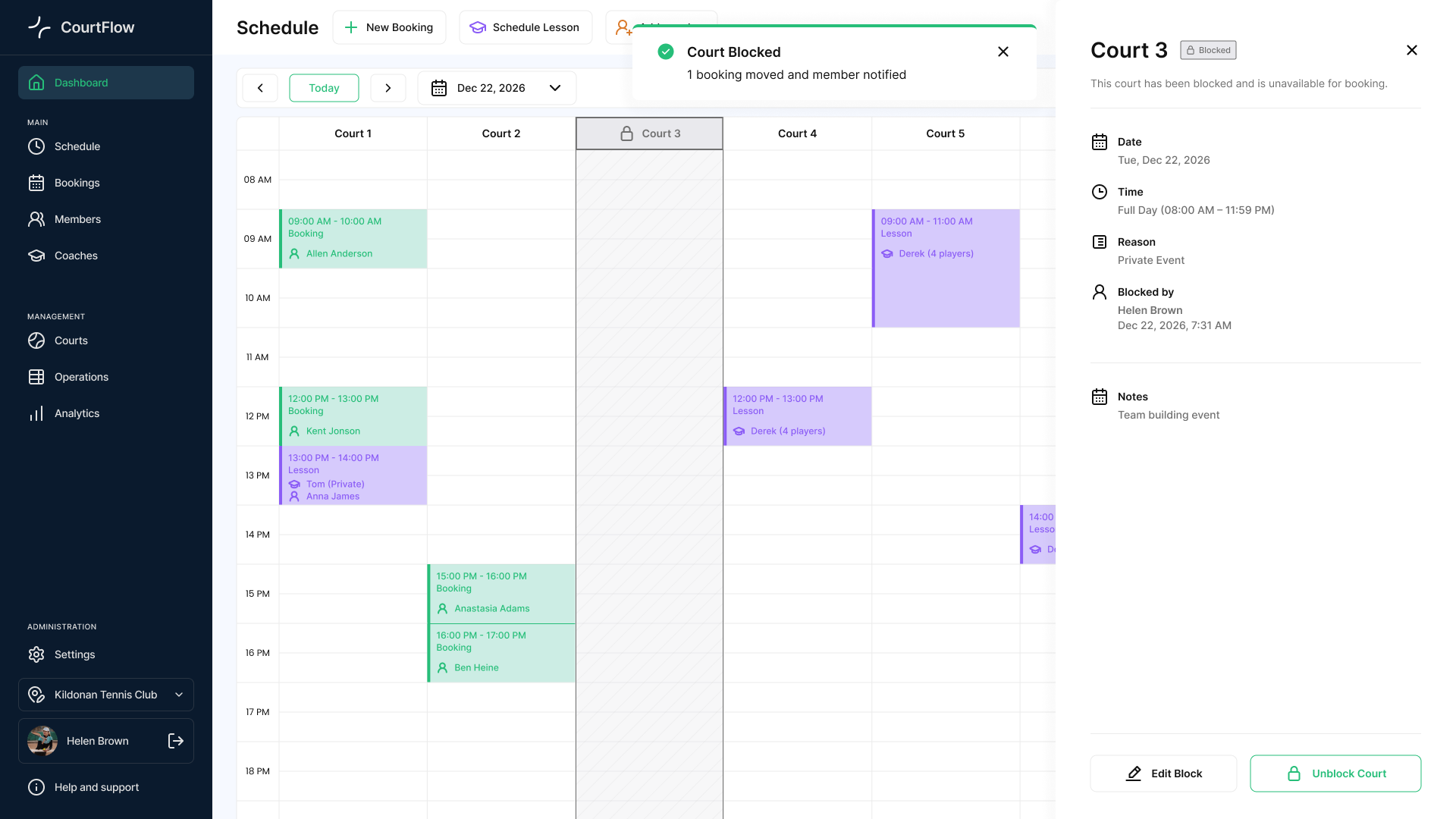
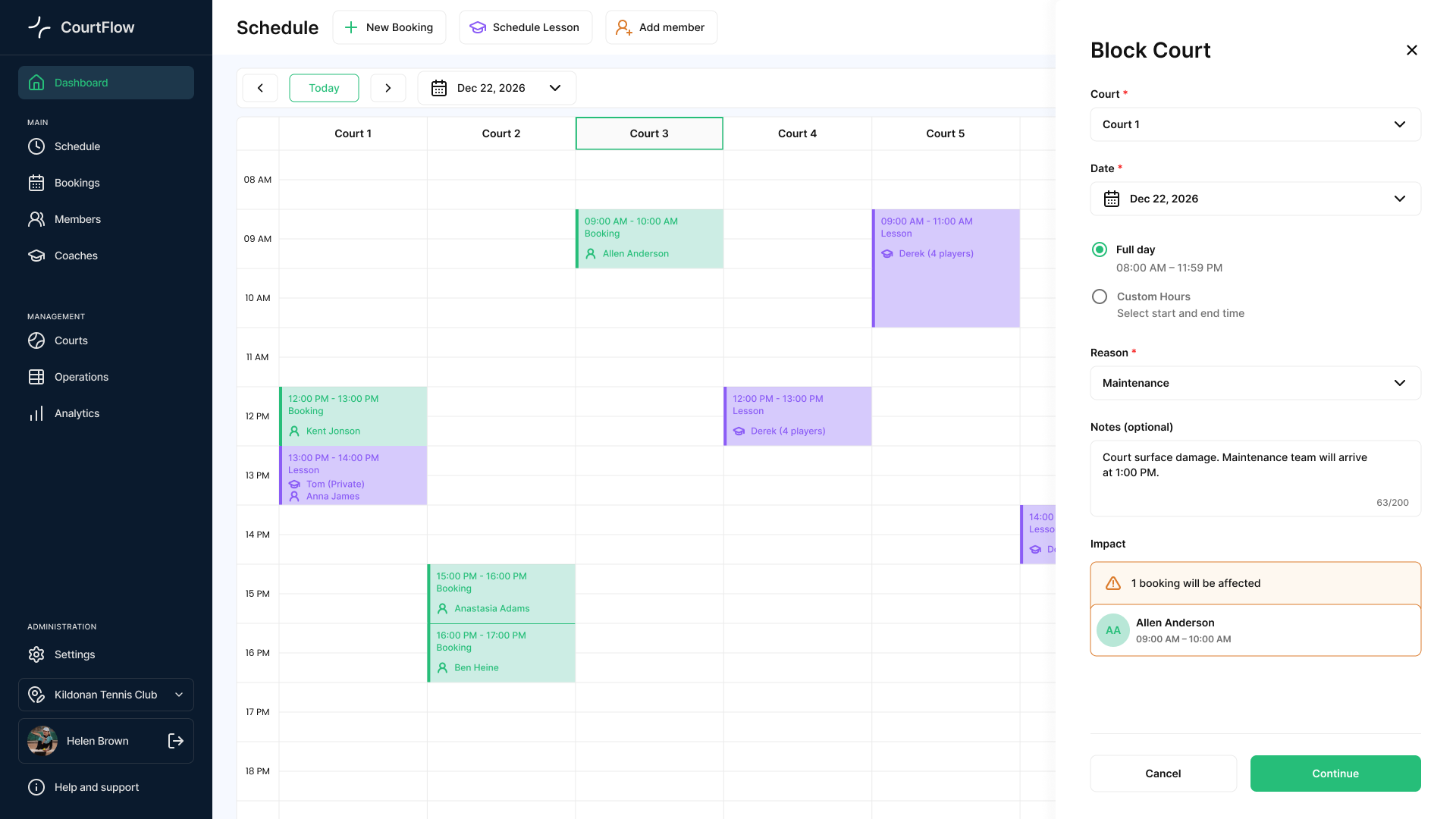
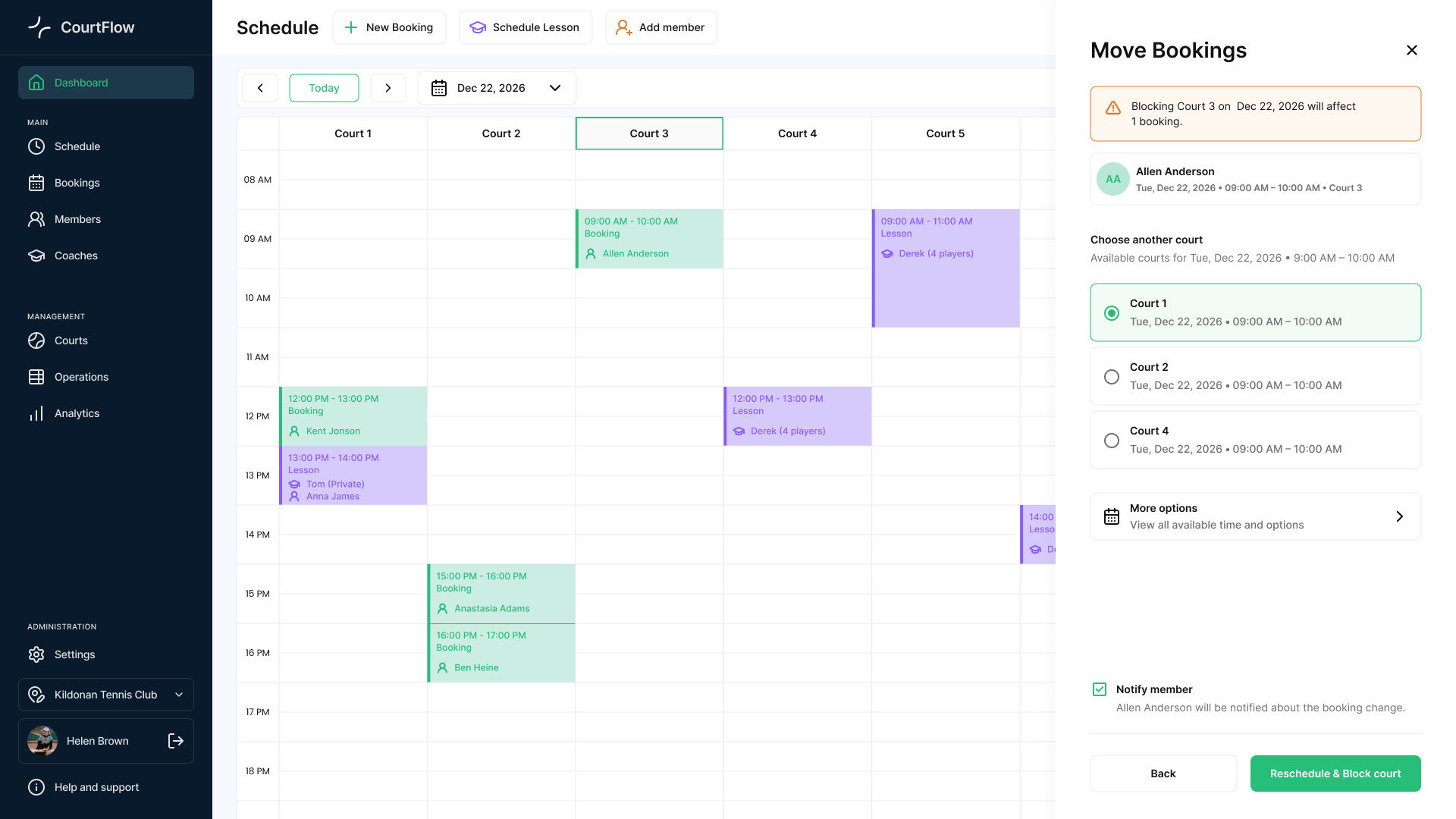
Unplanned events like sudden weather changes or emergency maintenance require immediate schedule adjustments.
Block court
Block court

Move booking

Move booking

Court closed

Court closed

  • Impact Prevention: The system scans and displays affected reservations before confirming a block, allowing staff to proactively relocate players.
  • Granular Control: Supports both full-day closures and custom-hour blocks to accommodate dynamic club operations.
  • Instant Sync: Blocked states lock out slots on the main grid in real time across all logged-in users.

Bookings Management (List View)

While the calendar grid is great for daily scheduling, staff also need a high-density table view to look up historical data, run audits, and handle customer disputes.
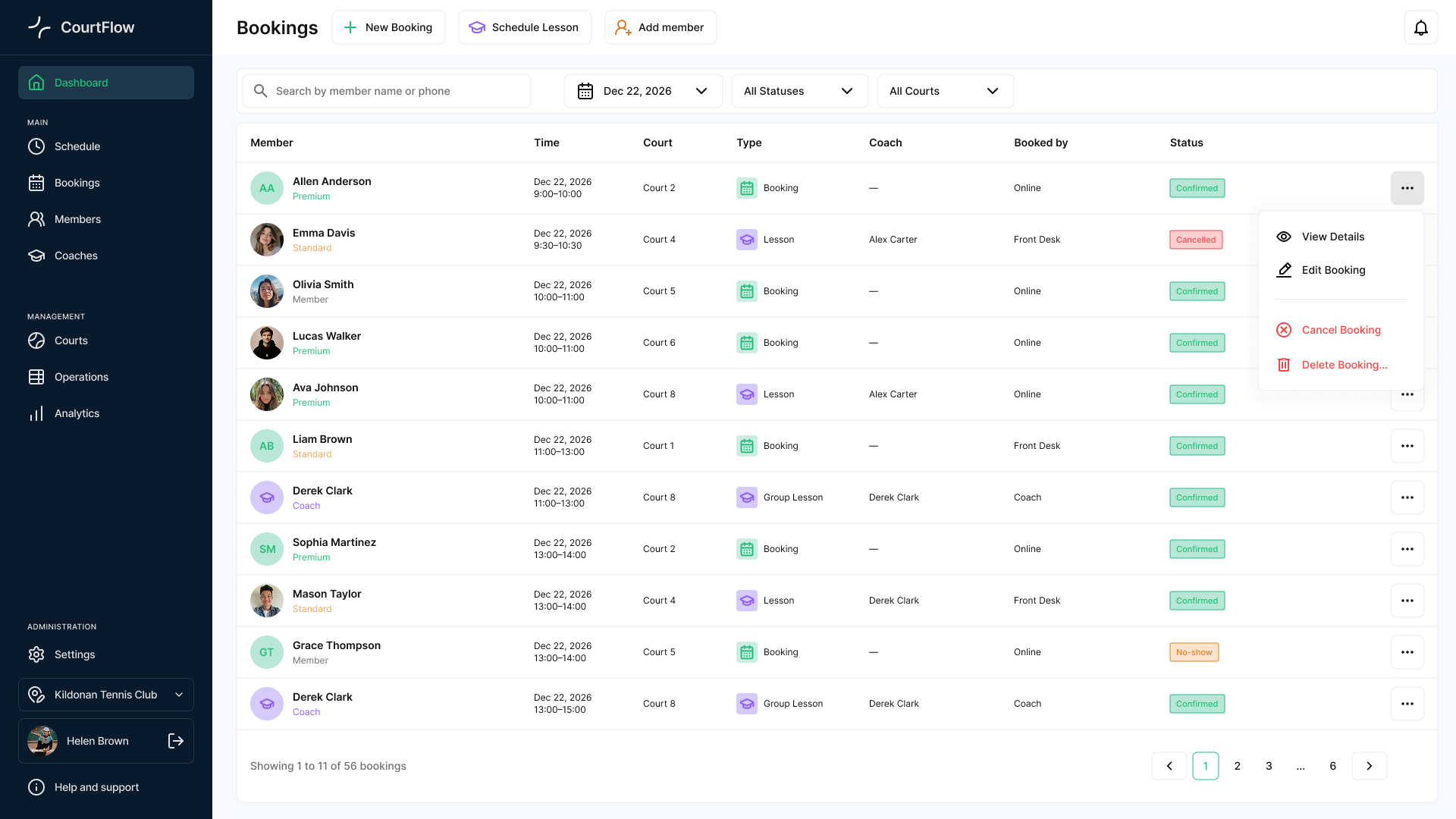
Courtflow bookings screen

Courtflow bookings screen

  • Rapid Data Retrieval: Instead of flipping through weeks of calendar pages, staff can use a global search and quick dropdown filters (by date, status, or court) to locate any specific booking in seconds.
  • Quick Actions Menu: Clicking the action icon next to any entry opens a dropdown menu (View Details, Edit Booking, Cancel Booking, Delete Booking...), allowing staff to manage any record instantly without leaving the table.
  • Audit-Ready Overview: The clean layout displays critical background data at a glance—like who made the reservation (Booked by: Online / Front Desk) and the player's status—making it easy to clear up misunderstandings.

Сomponent Library & UI Kit

Since I was building this project single-handedly, efficiency was key. I created a high-density UI Kit alongside the layout design. This library allowed me to stay consistent and assemble complex layout iterations within hours.
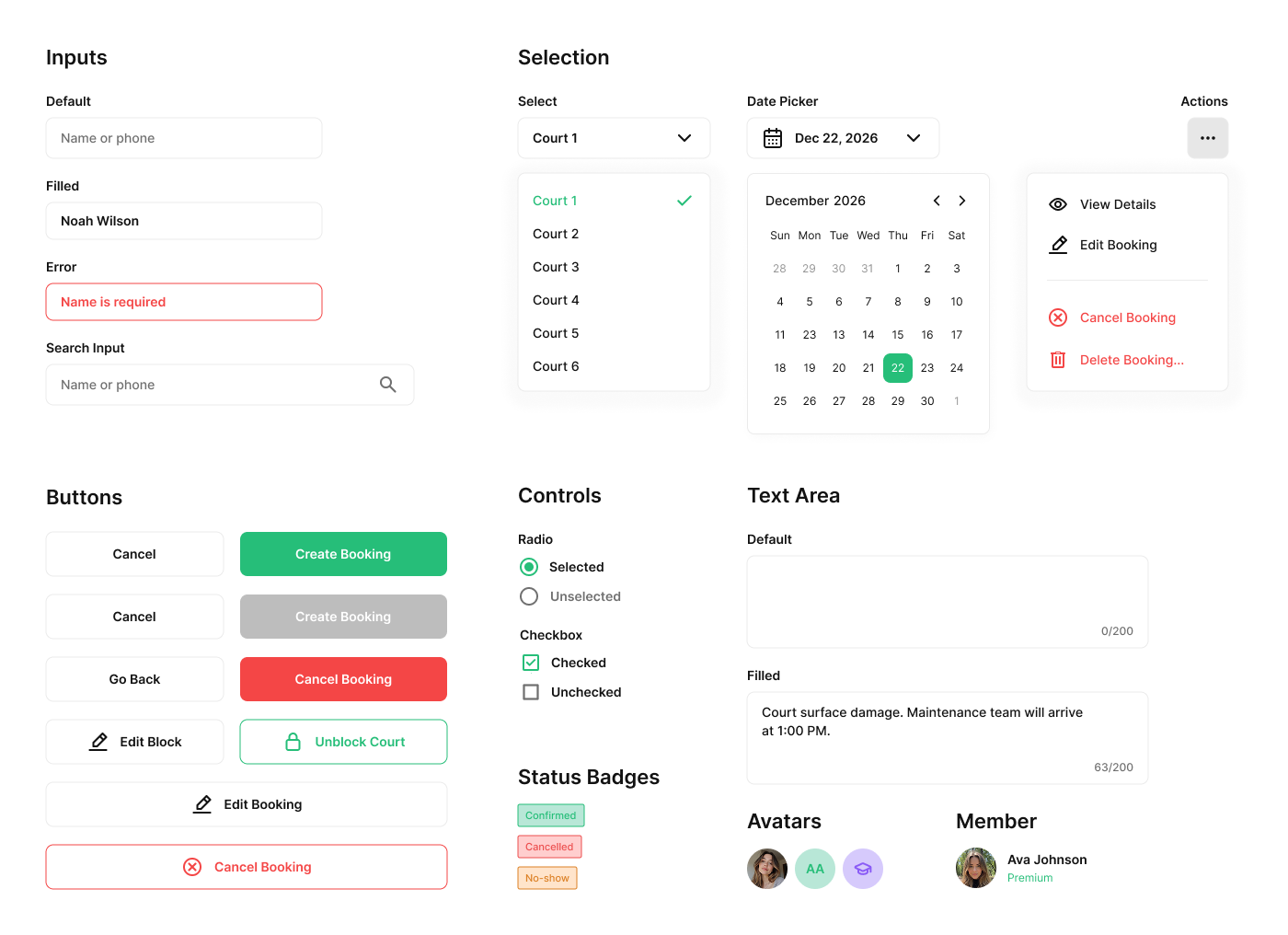
Courtflow core components screen

Courtflow core components screen

Outcomes & Key Takeaways

Designing for B2B operations taught me to prioritize speed and reliability over visual decoration. The final solutions directly address the realities of a busy front desk:

  • Reduced Errors: Smart pre-filling and inline registration eliminate repetitive typing, preventing mistakes during live phone calls.
  • Interruption-Proof Workflows: Context-aware side panels ensure receptionists never lose active data when suddenly interrupted by a walk-in player.
  • Real-Time Alignment: Instant synchronization across the dashboard and list views prevents overbookings, keeping multiple managers perfectly in sync.

Take a look at two more projects

If you want to keep exploring, these are two other projects I worked on.